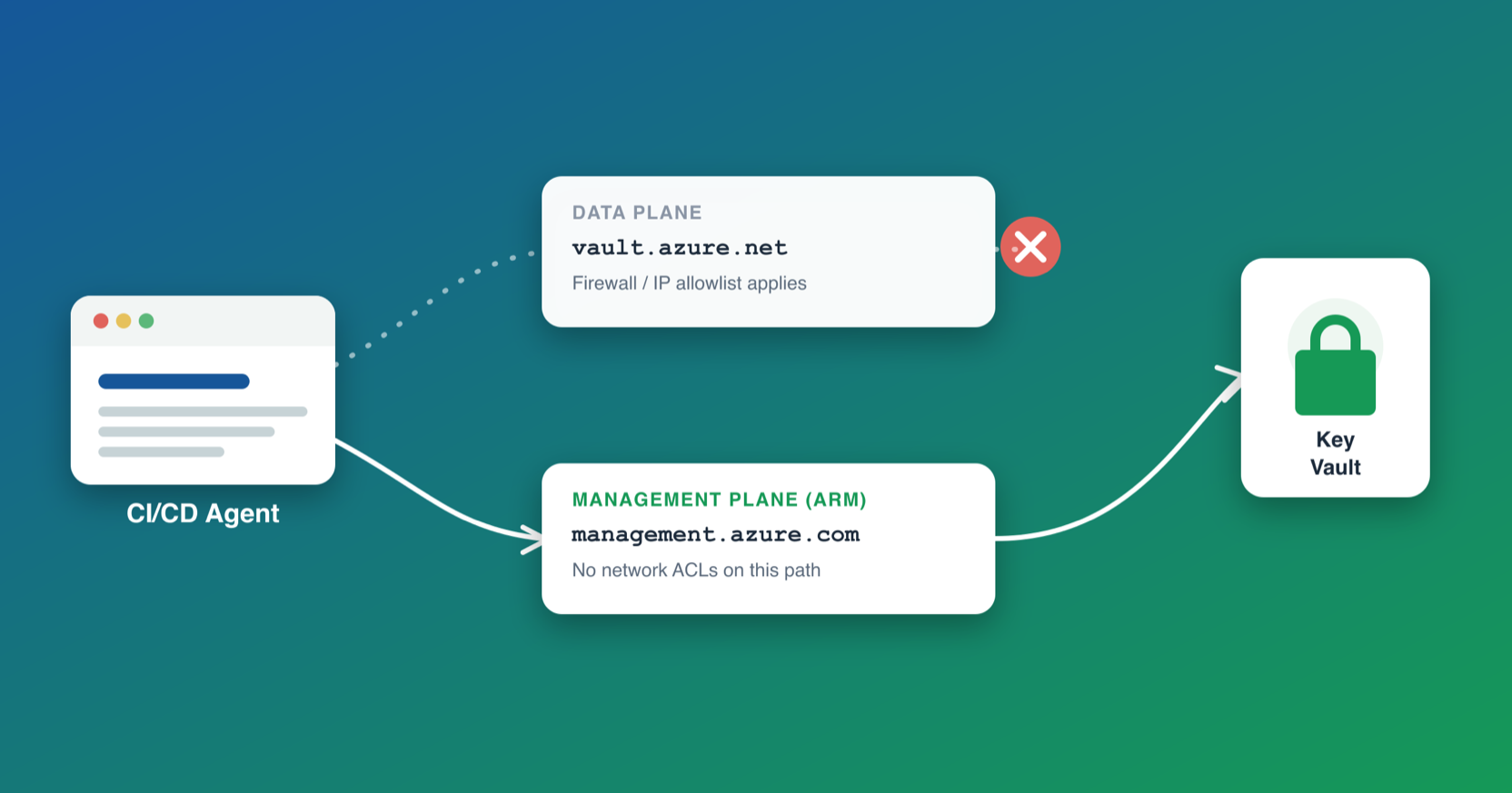
A few years ago I worked on a setup where Key Vault sat behind a private endpoint, and the CI/CD agent needed to read and write a couple of secrets on it. The standard fix, the one documentation suggests and seemed obvious was to add the agent’s IP to the vault’s firewall exception list, do your thing, and tear it back down.
It didn’t work reliably. The allowlist update didn’t propagate immediately, so we ended up with a retry loop polling the vault for a specified number of times before it would let the agent in, and even that failed often enough to be a running joke on the team. Every failure meant a manual retrigger and someone context-switching to babysit a pipeline.
Rebuilding a similar setup recently, I went looking for a way to avoid that whole failure class instead of engineering around it, and it turns out Azure already gives you one. It’s just not framed anywhere as the fix for this.