Enabling PostGIS Shapefile and DBF Loader on pgAdmin III [Ubuntu]
When you install PostGIS from the OpenGeo Suite [link] on Ubuntu, you might notice that PostGIS Shapefile and DBF loader is missing from pgAdmin III plugins. This post explains the steps to get the plugin to work:

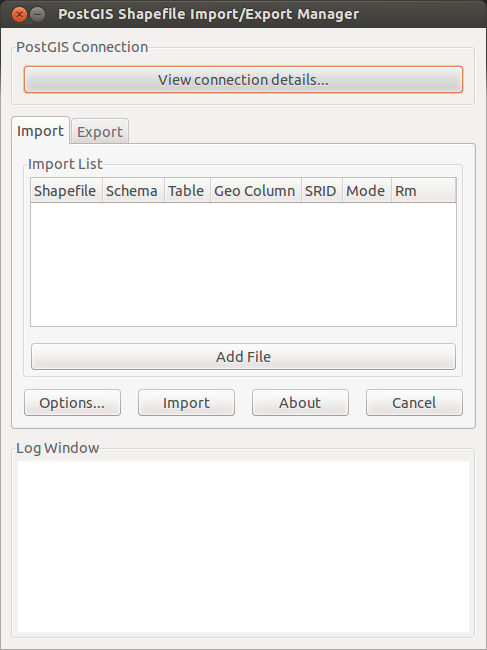
Install opengeo-postgis2-shapeloader using this command at terminal:
sudo apt-get install opengeo-postgis2-shapeloader
It gets installed in /usr/lib/postgresql/9.2/bin as shp2pgsql-gui. Now create a symbolic link for the same in /usr/bin directory. Prior to this you may want to check if the postgresql version you have is 9.2.
sudo ln -s /usr/lib/postgresql/9.2/bin/shp2pgsql-gui /usr/bin/shp2pgsql-gui
Now it’s the time to edit plugins.d file. Use the following command to open the file for editing:
gksudo gedit /usr/share/pgadmin3/plugins.d/plugins.ini
Paste the following contents at the end of the file:
;
; pgShapeLoader (Linux):
;
Title=PostGIS Shapefile and DBF loader
Command=$$PGBINDIR/shp2pgsql-gui -U $$USERNAME -d $$DATABASE -p $$PORT -h $$HOSTNAME
Description=Open a PostGIS ESRI Shapefile or Plain dbf loader console to the current database.
KeyFile=$$PGBINDIR/shp2pgsql-gui
Platform=unix
ServerType=postgresql
Database=Yes
SetPassword=No
Note: You may have to set the environment variable PGBINDIR on your machine. To check if the environment variable is already set type this on your terminal:
echo $PGBINDIR
If an empty line appears as a result, it indicates that environment variable is not set. You will have to set it to /usr/bin (the location where the symbolic link for shapefile loader resides). For that use this command:
PGBINDIR=/usr/bin
Once the above steps are done invoke pgAdmin III to see the ‘PostGIS Shapefile and DBF Loader’ listed under plugins.