Mapping arecanut from Landsat with free tools
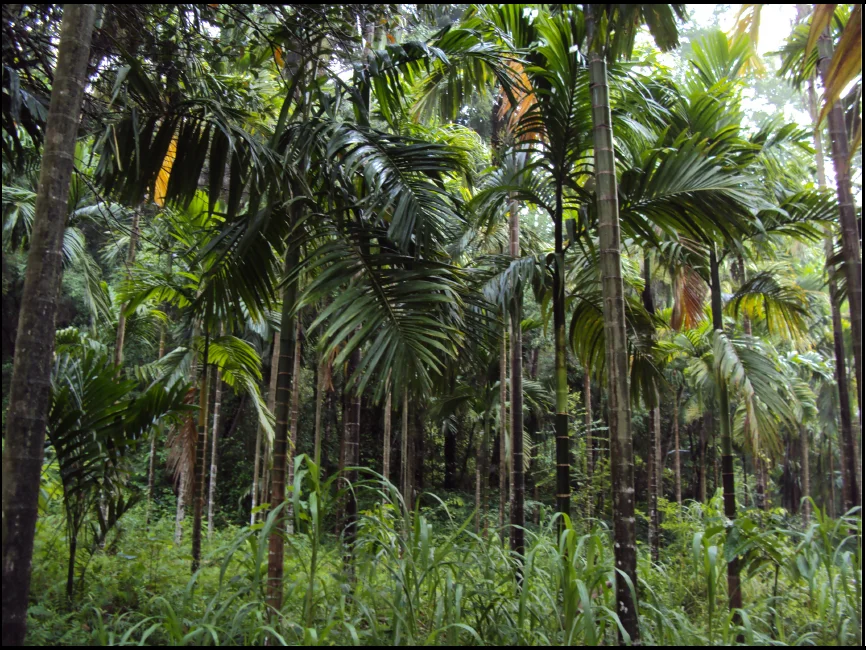
For my master’s project at NITK Surathkal in 2011, I tried to map arecanut plantations in Dakshina Kannada using only free satellite images and free software. Official area figures for the crop come from village land records, and I wanted to see whether satellite data could say something independent about it. I rarely look back at that report, but I did recently, and some of it holds up better than the rest.
🔗The setup
The images were Landsat 7 scenes from USGS for 1999, 2003 and 2010. The 2010 scenes were the awkward ones. Landsat 7’s scan line corrector had failed in 2003, so every later image has stripes of missing data, and I had to fill them from two other dates.
The software was all free: GRASS GIS for processing and classification, QGIS for checking training sites, GNU Octave for my own code, and Ubuntu underneath. For reference data I used the high resolution imagery in Google Earth, geotagged photos on Panoramio and a field visit.
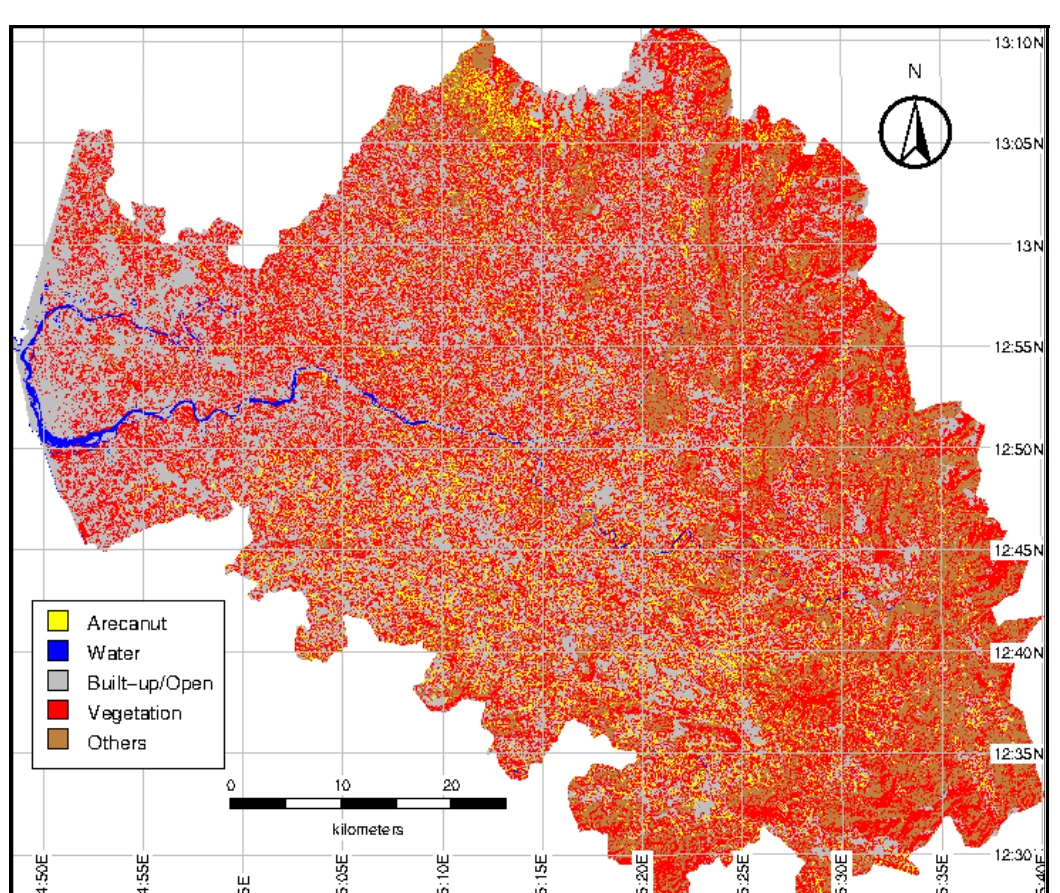
I classified five land cover classes with a maximum likelihood classifier. Then I tried adding texture layers: variogram and madogram images, computed on the first principal component of the six bands in a 7 x 7 moving window in four directions, as extra input bands. The idea was that a garden of palms with other crops underneath has a different pixel-to-pixel pattern from other vegetation. That made 27 classified maps in all.
🔗What worked
The free stack was enough. Everything from the principal components to the classification to the maps ran on free software, and the Octave function for the texture layers is short enough to print in an appendix. I wrote that function myself, and the report lists every paper I built on. Google Earth’s historical imagery was the best surprise, since it let me check results against high resolution pictures at no cost.
🔗What it produced
Each year gave nine classifications, and I reported all of them, not just the best one. This is the range for each year next to the published figure for the nearest year.
| Year | My estimate (ha) | Published figure (ha) | Difference |
|---|---|---|---|
| 1999 | 26,801 to 28,313 | 31,127 (market survey for Campco, 1999-00) | 9% to 14% lower |
| 2003 | 27,825 to 33,959 | 27,092 (DASD, 2003-04) | 3% to 25% higher |
| 2010 | 38,578 to 51,430 | 27,645 (state estimate, 2009-10) | 40% to 86% higher |
The 1999 and 2003 results sit within about a quarter of the published figures. The 2010 results do not, and the list below covers what I think went wrong.
🔗What I would do differently
- Hold back a validation sample. I improved the training sites by looking at the results, and I did not keep a random sample apart to test them. That makes my accuracy figures look better than they should.
- Use far more training pixels. One year had only a few hundred, which is thin for a classifier estimating covariances across six bands.
- Match brightness across dates. I filled the 2010 gaps by copying pixels from other dates without adjusting them, and stripes remained. USGS’s own gap-filling method matches the scenes first.
- Test the window size. I took 7 x 7 from the papers I was reading and never tried anything else.
- Check against the official numbers early. The state’s provisional figure for 2008-09 was about 27,500 ha, and the final estimate for 2009-10 came out at 27,645 ha. My 2010 map found 38,578 to 51,430 ha, roughly 40% to 86% higher. I had no independent validation sample, so I could not tell classification error from an undercount in the land records. The patched, striped 2010 scenes and thin training data are the likeliest suspects.
The texture layers also made less difference than I hoped. Accuracy moved by a point or two in either direction, and the direction of the window changed the area estimate more than it changed the accuracy. Basing them on a single principal component, which held about 76 to 79% of the variance, may have limited what they could add.
🔗How I would do it today
Most of the practical problems I fought in 2011 are gone. Landsat 8 and 9 have no scan line gap, and Sentinel-2 gives free imagery at 10 m, so a small garden that covered a handful of 30 m pixels now covers nine times as many. Sentinel-1 radar sees through cloud, which matters on a monsoon coast. Instead of one scene per year, I would use a full year of images, because a perennial crop like arecanut stands out better against forest and other plantations when you can watch how it changes through the seasons.
Google Earth Engine runs the whole workflow in a browser, with no downloads and no software to maintain. For the classifier I would use random forest or something similar, which copes far better with small training sets than maximum likelihood did. The biggest change would be the validation: a random sample of points labelled from high resolution imagery, kept apart from the training data, with the area estimates adjusted for the errors in that sample. An AI assistant would also speed up the work, writing the pipeline and pre-labelling points, as long as a person checks a random subset by eye.
I had the whole report reviewed by two AI tools, Claude and Gemini. They gave it 7 and 8 out of 10 as a master’s project, and both reviews named the validation as the weakest part. That seems fair to me.
The project showed that free data and free software can take you from raw Landsat scenes to a district map. Every number in it came out of a documented method that anyone can rerun, and I reported all nine runs for each year, not only the flattering ones. What it could not confirm was whether the numbers reflected ground reality. That would have required an independent validation design I hadn’t built in.